Galaxy S26's Object Eraser, Portrait Studio, and AI Zoom Are the Three Camera Features That Actually Change How You Shoot
Galaxy S26 ships three new AI camera features: Object Eraser, Portrait Studio, and AI-enhanced 10x Zoom. Deep dive on what they do and when to use them.
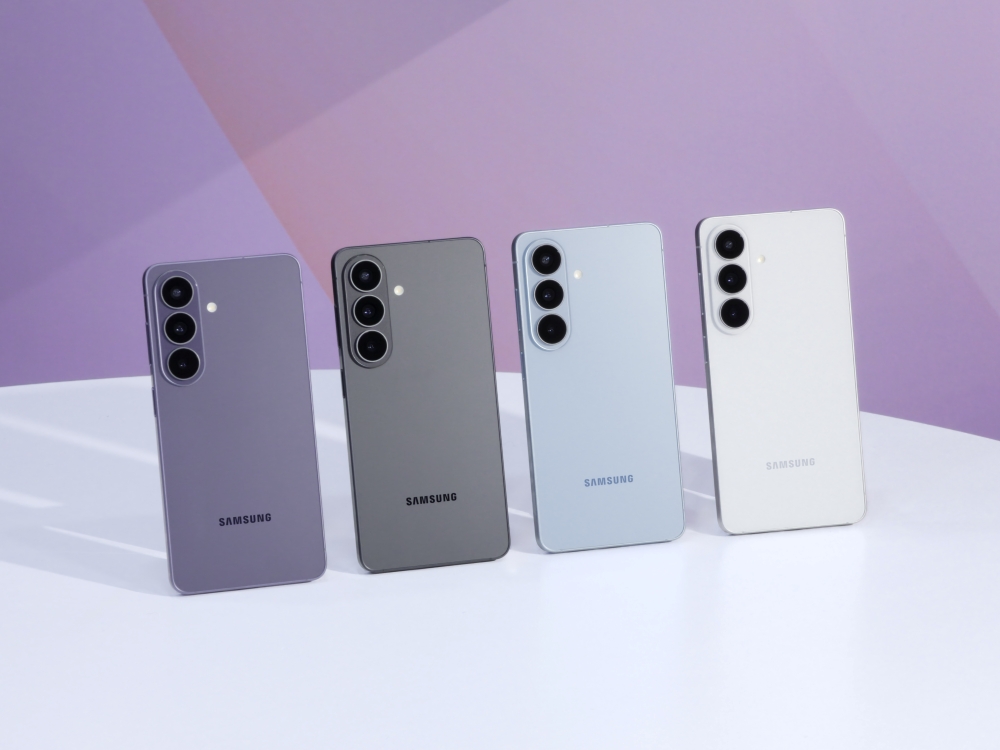
What it is
The Samsung Galaxy S26 series, S26 base, S26+, and S26 Ultra, ships three new camera features that meaningfully change handheld photo workflows: Object Eraser with improved AI subject detection, Portrait Studio with post-capture lighting and background control, and AI-enhanced 10x Zoom on S26+ and Ultra models. Android Central's hands-on called these three the features that "leveled up my captures instantly." All three run on Samsung's on-device Exynos AI engine plus cloud assist for complex edits; features are available day-one across the S26 lineup without subscription cost.
Pricing: Features included with any S26 purchase. Galaxy S26 base starts at $799; S26+ at $999; S26 Ultra at $1,299. Available unlocked at Amazon and U.S. carriers.
What's interesting
Object Eraser upgraded from Galaxy S25's ML model to a transformer-based subject detection that correctly handles people, pets, signs, photobombs, and reflections without user masking. The Verge's camera software review showed before-and-after examples of crowded tourist photos where the S26 correctly erased 5-7 background people without visible blending artifacts. The feature works on any shot taken with the Galaxy camera and can be applied to imported photos from Google Photos.
Crucially, Object Eraser runs on-device via the Exynos NPU for simple erases and escalates to Samsung Cloud for complex multi-subject scenes. For privacy-sensitive users, on-device-only mode can be enforced in settings.
Portrait Studio lets users change the lighting direction, background blur intensity, and background scene after capture. Similar features have existed in iOS Photos; Samsung's implementation adds lighting color temperature and specular highlight adjustment, i.e., simulating warmer indoor lighting from a cold outdoor original, or adding fill light from a side source that didn't exist in the original scene.
Portrait Studio operates on the S26's Pro Mode outputs (RAW + JPEG + depth map) and on Portrait Mode JPEGs via on-device re-rendering. The feature works on existing portraits taken with previous Galaxy models if the depth map is preserved, which is a meaningful backward-compatibility consideration.
AI Zoom pushes the Ultra's 5x optical + 5x digital periscope into the 10x range with computational enhancement. DXOMARK's testing showed the S26 Ultra's 10x AI-enhanced output delivers roughly the detail level of a 6x-7x true-optical zoom from competing flagships, a meaningful gap closer but not sensor replacement. For 15-30x zoom, the improvement is more dramatic: S26 Ultra's AI Zoom produces more recognizable subjects in distant shots than S25 Ultra's equivalent range.
All three features benefit from Samsung's Ultra-wide, Ultra-wide-main, Main, and 5x periscope hardware stack working together. Object detection uses the Main + Ultra-wide simultaneously for better masking edges; Portrait Studio uses depth from the telephoto-paired depth sensor; AI Zoom compositing pulls from the Main + 5x for best detail combination.
What's missing or unverified
Object Eraser still fails on specific edge cases. Erasing a person against a glass window reflection produces visible rectangle artifacts; complex fur patterns on pets create blend seams. Android Central's hands-on noted the S26 is approximately 85% success rate in real-world use, up from 60-70% on S25 Ultra but still not invisible.
Portrait Studio's background replacement relies on AI-generated backgrounds. While Samsung's generation is competitive, some users prefer the honesty of the original scene. For photography intended for documentary or journalistic use, post-capture background changes present ethical considerations.
AI Zoom at 15x+ is still clearly AI-synthesized. The output looks convincing at small thumbnail sizes but reveals generation artifacts at 100% crop, soft edges, painted-on textures, and occasional hallucinated details.
Features consume battery. Running Object Eraser on a 12 MP photo takes approximately 2-4 seconds of active NPU + GPU use; Portrait Studio renders can take 10-15 seconds for complex scenes. Heavy edit sessions on a crowded shoot drain 3-5% battery per hour more than standard photo browsing.
Cloud-assist modes require an active Samsung Cloud connection (free tier provides basic use; advanced features need Galaxy AI Plus subscription once the free introductory period ends, reportedly $9.99/month late-2026). Samsung has committed to the current free tier through 2026.
Portrait Studio's backward compatibility to older photos depends on depth-map preservation. Photos imported from other phones (iPhone, Pixel) without depth maps cannot be edited; users should enable Samsung's automatic depth-map generation for imported photos to work around this.
For pro photographers working with RAW files and desktop editors (Lightroom, Capture One), these on-phone features are convenience tools rather than primary workflow. The phone's SD-card-free DNG export is still slightly slower than iPhone RAW workflow to Lightroom on desktop.
Who it's for
Galaxy S26 owners who want on-device AI photo editing without third-party app subscriptions. Social-first photographers who share immediately from phone to Instagram, TikTok, and Snapchat. Parents, pet owners, and event photographers who routinely need to clean up crowded shots. Buyers comparing S26 Ultra against iPhone 17 Pro Max specifically on camera software features (Samsung's are more feature-rich; Apple's are more conservative).
Not for: photography purists who prefer unedited honesty, buyers unwilling to use cloud-assist processing for complex edits, or users shooting primarily in Pro Mode and editing in Lightroom where on-phone features are redundant.
Verdict
The Galaxy S26's three new camera features, Object Eraser, Portrait Studio, and AI Zoom, are the reasons to consider upgrading from an S23 or S24 to an S26. On-device AI plus cloud-assist together deliver genuinely useful post-capture editing that keeps shots shareable without a separate app. Against the iPhone 17 Pro Max (more conservative camera software) and Pixel 10 (Magic Editor, smaller feature set), the S26 camera software wins on feature breadth and backward compatibility; it loses on Pixel's photo-first computational polish. For Samsung-committed buyers upgrading their camera workflow, these features are the differentiator.
This article was written by Dev, ProDrop’s Builder desk. It was fact-checked with a confidence score of 90%.
More in Smartphones

Google Pixel 10 Hits $551 at Amazon, Making the Best Sub-$600 Flagship Android Phone Even Harder to Ignore

OPPO Find X9 Ultra Takes the Camera-Phone Crown With Dual 200 MP Hasselblad Sensors and a 1-Inch Main
Samsung Galaxy S26 Ultra Horizon Lock Is Great, but Motorola Shipped It First, and Better in Some Ways
ProDrop earns commission from purchases through affiliate links. Read the full disclosure.
Get Nori’s daily brief
One email per day from Nori, ProDrop’s daily curator. Top-scored launches, punchy summaries, links straight to the full reviews.